


The problem
What this feature addresses
When employee details live in spreadsheets and folders, records drift out of date and it takes time to find who sits in which department, location or reporting line.
Main capabilities
What it does
-
Employee Directory
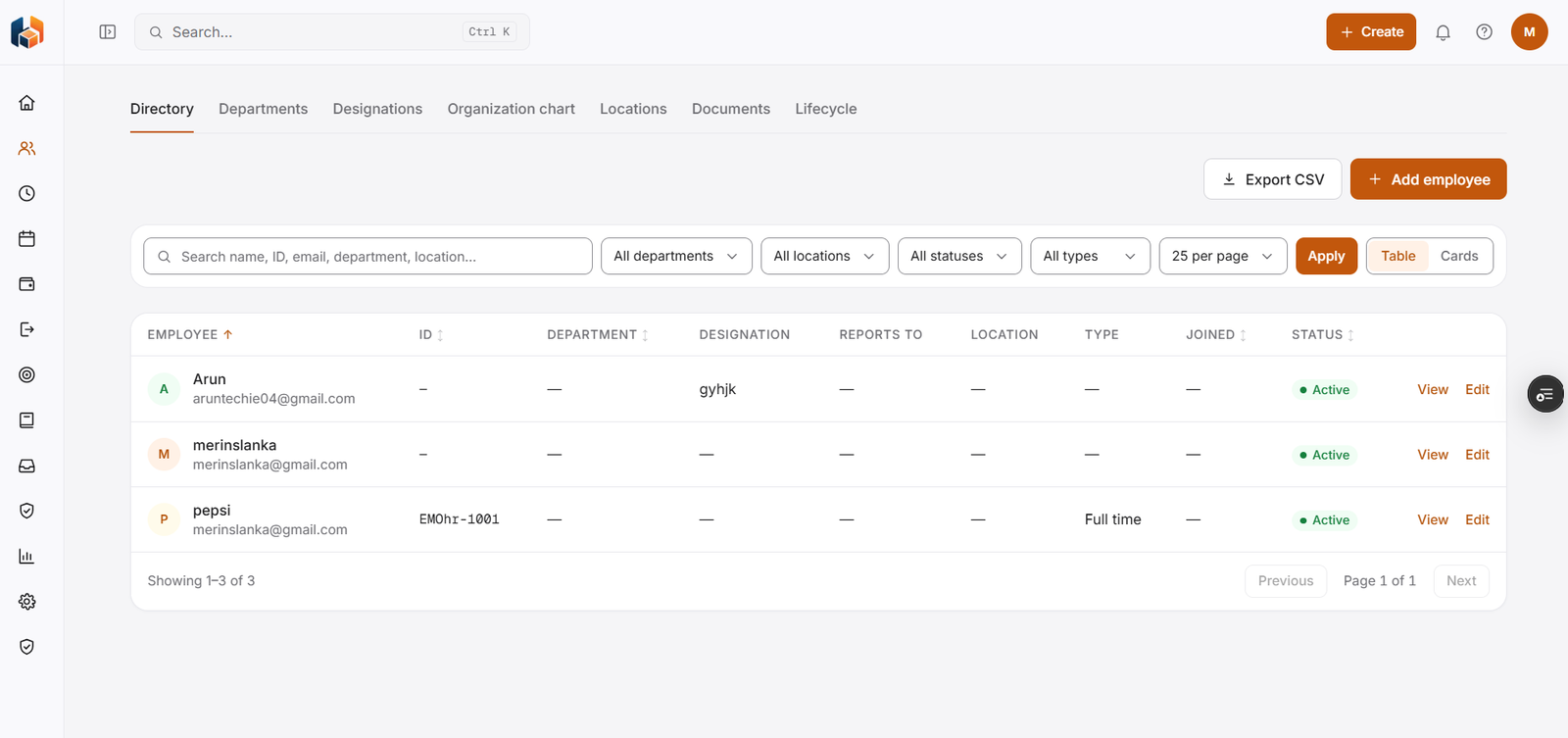
Search by name, ID, email, department or location, filter by department, location, status and type, view as a table or cards, and export to CSV.
-
Add employee
Add people to the directory, then view or edit each record.
-
Departments
Departments.
-
Designations
Designations.
-
Organization Chart
The organization chart.
-
Locations
Locations.
-
Employee Documents
Employee documents.
-
Employee Lifecycle
The employee lifecycle.
Workflow
How it flows
-
Add employees
-
Search and filter the directory
-
View or edit an employee record
-
Export the list to CSV
Benefits
Who it helps
-
HR teams
One directory showing department, designation, reports to, location, type, joining date and status for each person.
-
Managers
Filter the directory by department or location to find the people on their team.
-
Employees
Find colleagues by name, ID, email, department or location.
-
Finance and payroll teams
Consistent people information to plan and reconcile with.
-
Leadership
The people picture they need for planning and decisions.
-
Growing companies
A structured way to handle people as the team expands.
FAQ
People common questions
How do I find an employee?
Search the Employee Directory by name, ID, email, department or location, or filter by department, location, status and type.
What does the directory show for each person?
Employee, ID, department, designation, who they report to, location, type, joining date and status.
Can I export the directory?
Yes. Use Export CSV on the directory.
Can I view the directory as cards?
Yes. Switch between Table and Cards.
Get started
See HRBoxs in action.
Book a free demo and we will show you how HRBoxs fits your team.
- Personalised walkthrough
- See key features
- Get your questions answered