


The problem
What this feature addresses
Leave requests sent by email or chat are easy to lose, and it is hard to see balances, who is away today and which requests are waiting for a decision.
Main capabilities
What it does
-
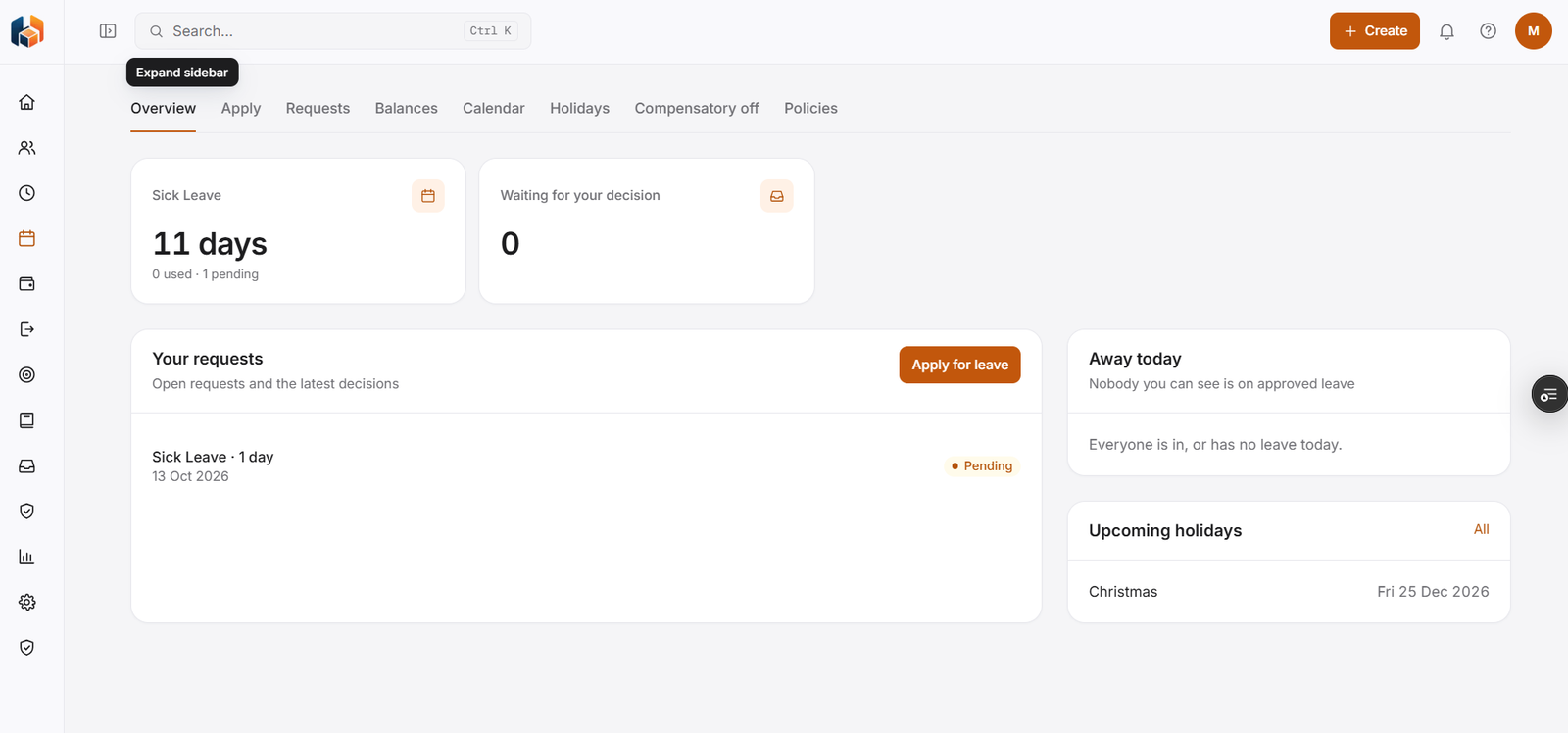
Leave Overview
Your balance for each leave type with days used and pending, requests waiting for your decision, your own requests, who is away today and upcoming holidays.
-
Apply for Leave
Apply for leave.
-
Leave Requests
Open requests and the latest decisions.
-
Leave Balances
Your balance for each leave type.
-
Team Leave Calendar
A calendar of team leave.
-
Holiday Calendar
Company holidays.
-
Compensatory Off
Compensatory off.
-
Leave Policies
Leave policies.
Workflow
How it flows
-
Apply for leave
-
The request shows as pending
-
A decision is made on the request
-
See the result under your requests
Benefits
Who it helps
-
Employees
Balances with days used and pending, plus the status of each request.
-
Managers
A count of requests waiting for their decision, and who is away today.
-
HR teams
Leave requests, balances, calendar, holidays and policies in one module.
-
Finance and payroll teams
Consistent leave information to plan and reconcile with.
-
Leadership
The leave picture they need for planning and decisions.
-
Growing companies
A structured way to handle leave as the team expands.
FAQ
Leave common questions
Where can I see my leave balance?
On the Leave Overview, which shows your balance for each leave type with days used and pending. Leave Balances has its own tab.
How do I see which requests are waiting for me?
The Leave Overview shows a Waiting for your decision count.
Can I see who is away today?
Yes. The Leave Overview has an Away today panel showing people you can see who are on approved leave.
Is compensatory off supported?
Yes. Compensatory Off is part of the Leave module.
Get started
See HRBoxs in action.
Book a free demo and we will show you how HRBoxs fits your team.
- Personalised walkthrough
- See key features
- Get your questions answered