
The problem
What this feature addresses
When reviews and goals live in separate documents, it is hard to see which reviews are overdue, which goals are at risk and how feedback is being given.
Main capabilities
What it does
-
Performance Dashboard
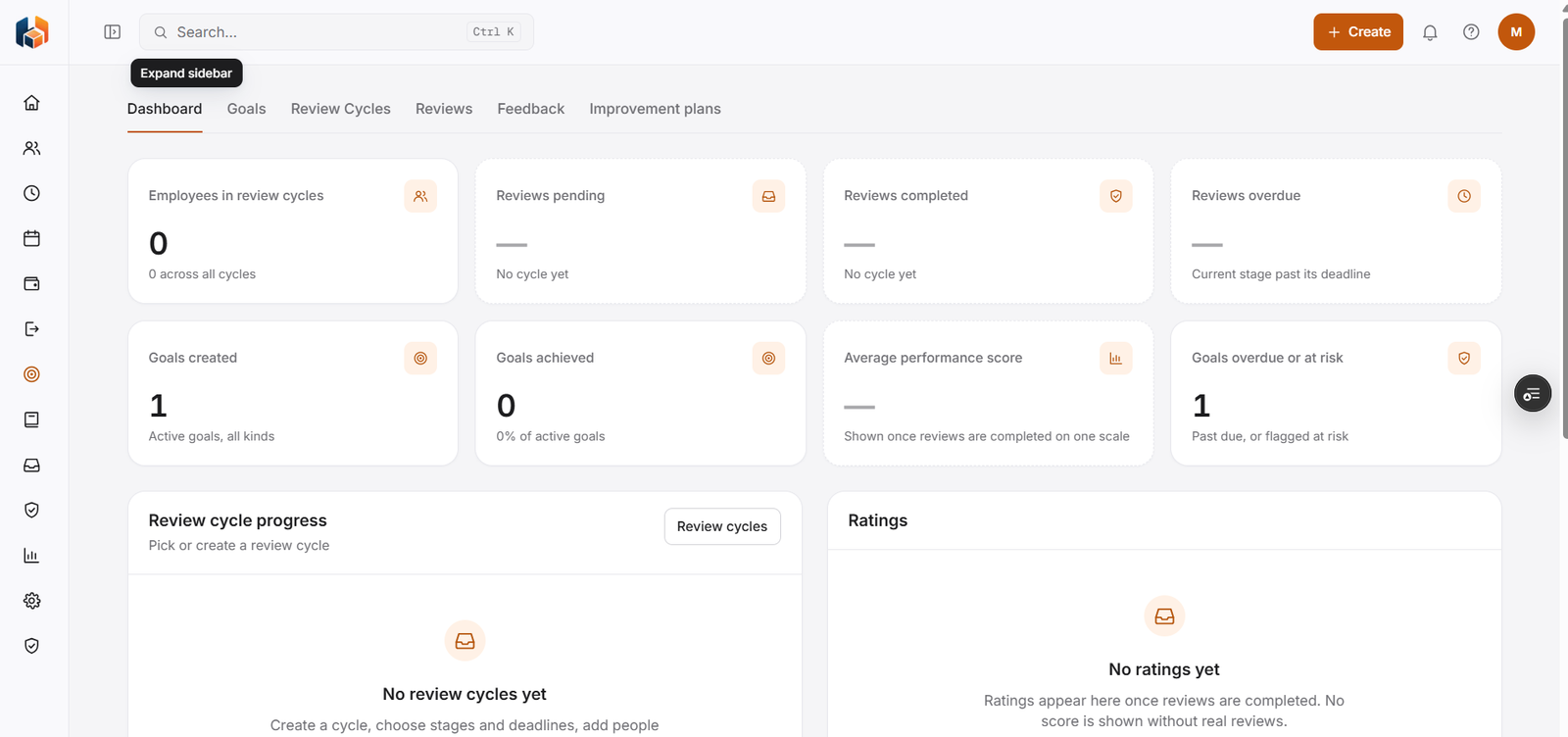
Employees in review cycles, reviews pending, completed and overdue, goals created and achieved, goals overdue or at risk, and the average performance score.
-
Goals & OKRs
Create and follow goals, including goals that are overdue or at risk.
-
Review Cycles
Create a cycle, choose stages and deadlines, and add people. The dashboard shows review cycle progress.
-
Reviews & Self-Assessments
Complete reviews, with ratings that appear as reviews are completed.
-
Feedback
Give and receive feedback.
-
Improvement Plans
Agree and track improvement plans.
Workflow
How it flows
-
Set goals and OKRs
-
Create a review cycle with stages and deadlines
-
Complete reviews and self-assessments
-
Follow progress on the dashboard
Benefits
Who it helps
-
Managers
See which reviews are pending or overdue and which goals are at risk.
-
Employees
Goals, reviews, feedback and improvement plans in one place.
-
HR teams
Review cycle progress and ratings across the company on the Performance Dashboard.
-
Finance and payroll teams
Consistent performance information to plan and reconcile with.
-
Leadership
The performance picture they need for planning and decisions.
-
Growing companies
A structured way to handle performance as the team expands.
FAQ
Performance common questions
Do you support OKRs?
Yes. Goals & OKRs is part of Performance.
Can employees assess themselves?
Yes. Reviews & Self-Assessments covers both manager reviews and self-assessments.
How do I see which reviews are late?
The Performance Dashboard shows reviews overdue, which means the current stage is past its deadline.
When does the average performance score appear?
Once reviews are completed on one scale.
Get started
See HRBoxs in action.
Book a free demo and we will show you how HRBoxs fits your team.
- Personalised walkthrough
- See key features
- Get your questions answered