


The problem
What this feature addresses
Document expiry dates, policy sign-offs and compliance records are easy to lose track of when they sit in separate files and personal calendars.
Main capabilities
What it does
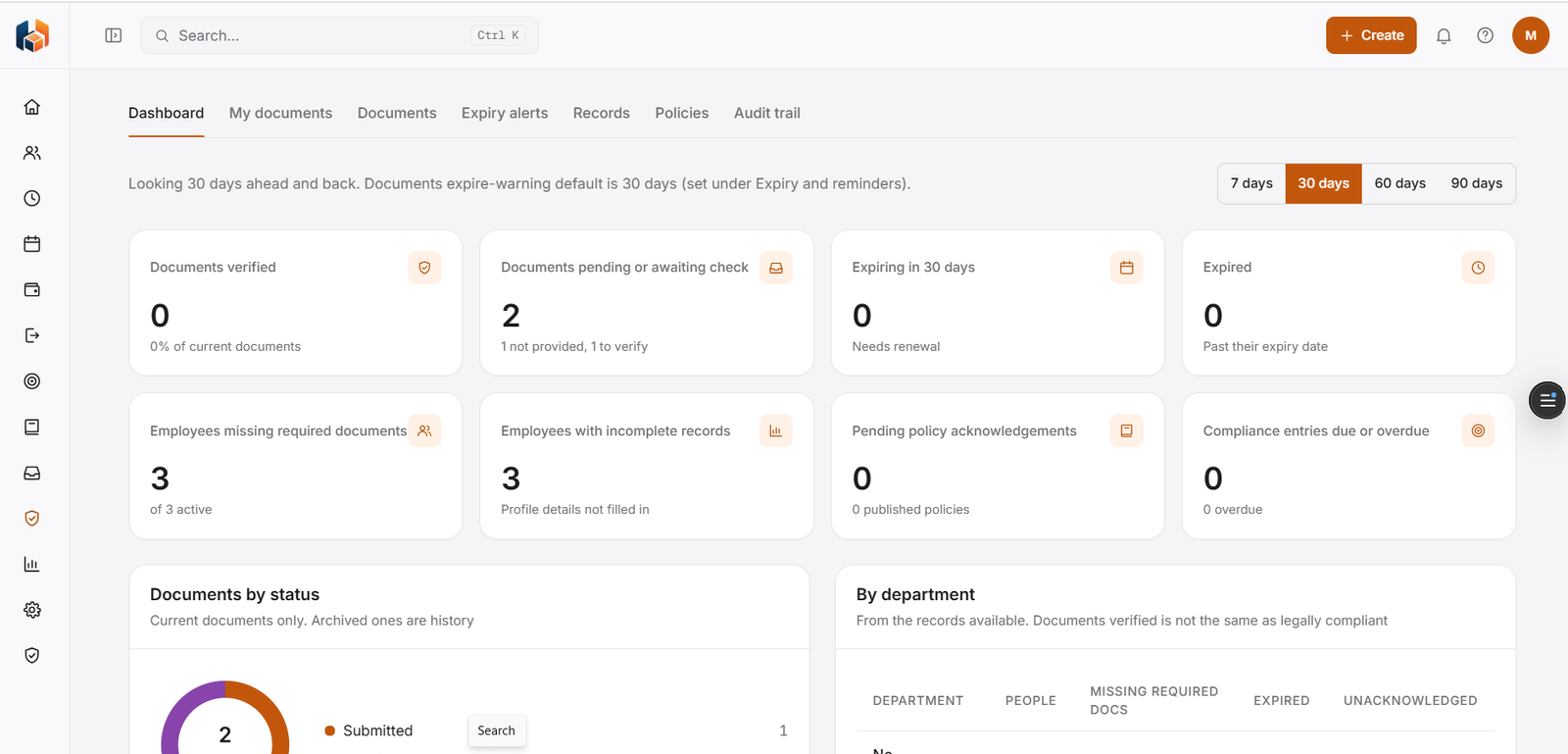
-
Compliance Dashboard
Your compliance overview in one place.
-
My Documents
Your own documents in one place.
-
Employee Documents
Documents kept with the employee record.
-
Document Expiry Alerts
Alerts for documents that are due to expire.
-
Compliance Records
Compliance records kept organised in one place.
-
Policies & Acknowledgements
Policies, and a record of who has acknowledged them.
-
Audit Trail
A history of changes and who made them.
Workflow
How it flows
-
Add employee documents
-
Watch for expiring documents
-
Share policies and record acknowledgements
-
Review the audit trail
Benefits
Who it helps
-
HR teams
Documents, expiry alerts and policy acknowledgements in one place.
-
Employees
Their own documents under My Documents.
-
Leadership
An audit trail of changes and who made them.
-
Managers
A clear view of compliance for their own team.
-
Finance and payroll teams
Consistent compliance information to plan and reconcile with.
-
Growing companies
A structured way to handle compliance as the team expands.
FAQ
Compliance common questions
Do I get alerts for expiring documents?
Yes. Document Expiry Alerts is part of Compliance.
Can we see who has acknowledged a policy?
Yes. Policies & Acknowledgements records acknowledgements.
Where do employees find their own documents?
In My Documents.
Is there a history of changes?
Yes. The Audit Trail keeps a history of changes and who made them.
Get started
See HRBoxs in action.
Book a free demo and we will show you how HRBoxs fits your team.
- Personalised walkthrough
- See key features
- Get your questions answered