


The problem
What this feature addresses
Questions about who works here, where people sit, who is leaving and how attendance is trending are hard to answer when the numbers live in separate files. Reports brings them together in one place.
Main capabilities
What it does
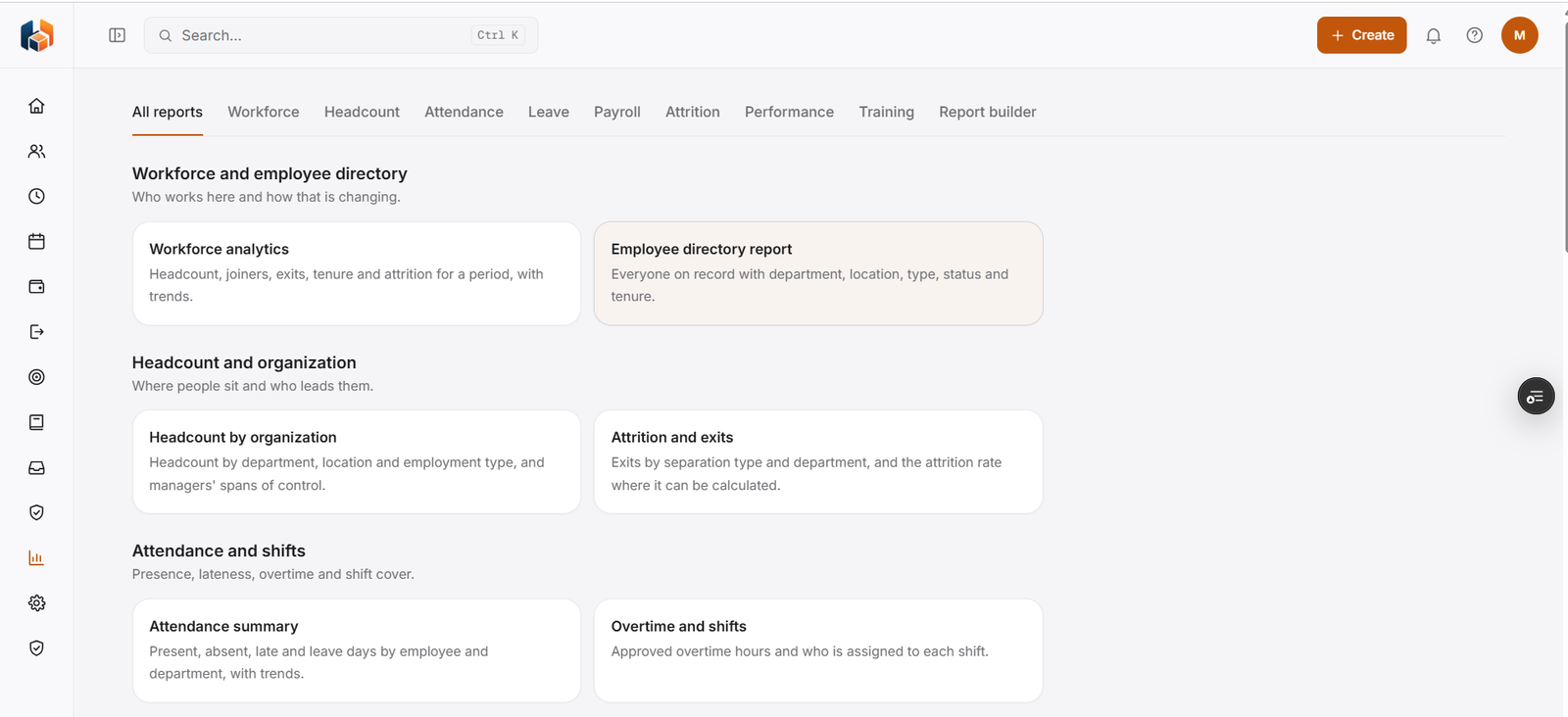
-
All reports
Every report in one hub, grouped by topic.
-
Workforce analytics
Headcount, joiners, exits, tenure and attrition for a period, with trends.
-
Employee directory report
Everyone on record with department, location, type, status and tenure.
-
Headcount by organization
Headcount by department, location and employment type, and the spans of control of managers.
-
Attrition and exits
Exits by separation type and department, and the attrition rate where it can be calculated.
-
Attendance summary
Present, absent, late and leave days by employee and department, with trends.
-
Overtime and shifts
Approved overtime hours and who is assigned to each shift.
-
Leave, Payroll, Performance and Training
A dedicated tab for each report area.
-
Report builder
Create your own reports alongside the standard ones.
Workflow
How it flows
-
Open All reports
-
Pick a report or a tab
-
Review the figures and trends
-
Create your own in Report builder
Benefits
Who it helps
-
HR teams
Workforce, headcount and attrition figures in one place.
-
Managers
Headcount by department and location, and spans of control.
-
Finance and payroll teams
Payroll reports in the same hub as attendance and workforce reports.
-
Employees
Their own reports information and request status, whenever they need it.
-
Leadership
The reports picture they need for planning and decisions.
-
Growing companies
A structured way to handle reports as the team expands.
FAQ
Reports common questions
Can we build our own reports?
Yes. Report builder sits alongside the standard reports.
Is there reporting on attrition?
Yes. Attrition and exits shows exits by separation type and department, and the attrition rate where it can be calculated.
What does Workforce analytics cover?
Headcount, joiners, exits, tenure and attrition for a period, with trends.
What can I see about attendance and shifts?
Attendance summary shows present, absent, late and leave days by employee and department, with trends. Overtime and shifts shows approved overtime hours and who is assigned to each shift.
Get started
See HRBoxs in action.
Book a free demo and we will show you how HRBoxs fits your team.
- Personalised walkthrough
- See key features
- Get your questions answered