


The problem
What this feature addresses
Manual registers make it slow to see who is in, who is late and who forgot to check out, and corrections are chased at month end.
Main capabilities
What it does
-
Attendance Overview
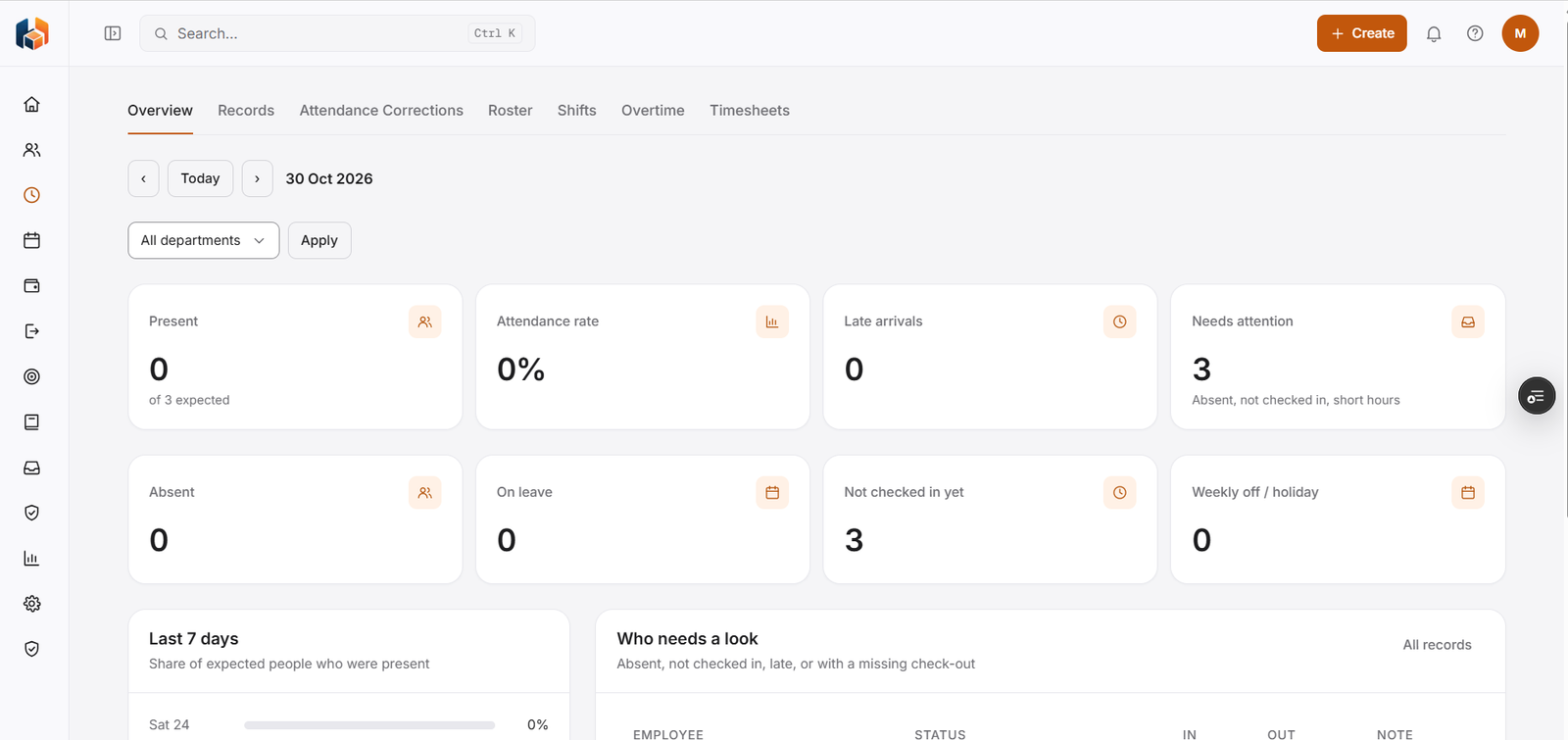
Pick a day and a department to see present, attendance rate, late arrivals, absent, on leave, not checked in yet, and weekly off or holiday, plus the people who need attention.
-
Attendance Records
Attendance records, with a list of all records.
-
Attendance Corrections
Attendance corrections.
-
Shift Roster
The shift roster.
-
Shift Management
Shifts.
-
Overtime
Overtime.
-
Timesheets
Timesheets.
Workflow
How it flows
-
Choose the day and department
-
See who is present, late or absent
-
Follow up on who needs a look
-
Open the records for detail
Benefits
Who it helps
-
HR teams
An attendance rate and the last 7 days of presence for the people expected.
-
Managers
A list of who is absent, not checked in, late or missing a check-out.
-
Employees
Attendance Corrections for fixing a record, and Timesheets and Overtime in the same module.
-
Finance and payroll teams
Consistent attendance information to plan and reconcile with.
-
Leadership
The attendance picture they need for planning and decisions.
-
Growing companies
A structured way to handle attendance as the team expands.
FAQ
Attendance common questions
What does the Attendance Overview show?
For the day and department you choose: present, attendance rate, late arrivals, people who need attention, absent, on leave, not checked in yet, and weekly off or holiday.
How do I find who needs follow-up?
The Who needs a look panel lists people who are absent, not checked in, late, or with a missing check-out, with their status, in and out times and a note.
Can I see attendance over time?
Yes. The Last 7 days panel shows the share of expected people who were present each day.
Can I filter by department?
Yes. Choose a department and select Apply.
Get started
See HRBoxs in action.
Book a free demo and we will show you how HRBoxs fits your team.
- Personalised walkthrough
- See key features
- Get your questions answered