


The problem
What this feature addresses
Payroll depends on salaries, bonuses, reimbursements and settlements that come from many places, so checking who is included and what they earn by hand is slow and easy to get wrong.
Main capabilities
What it does
-
Payroll Dashboard
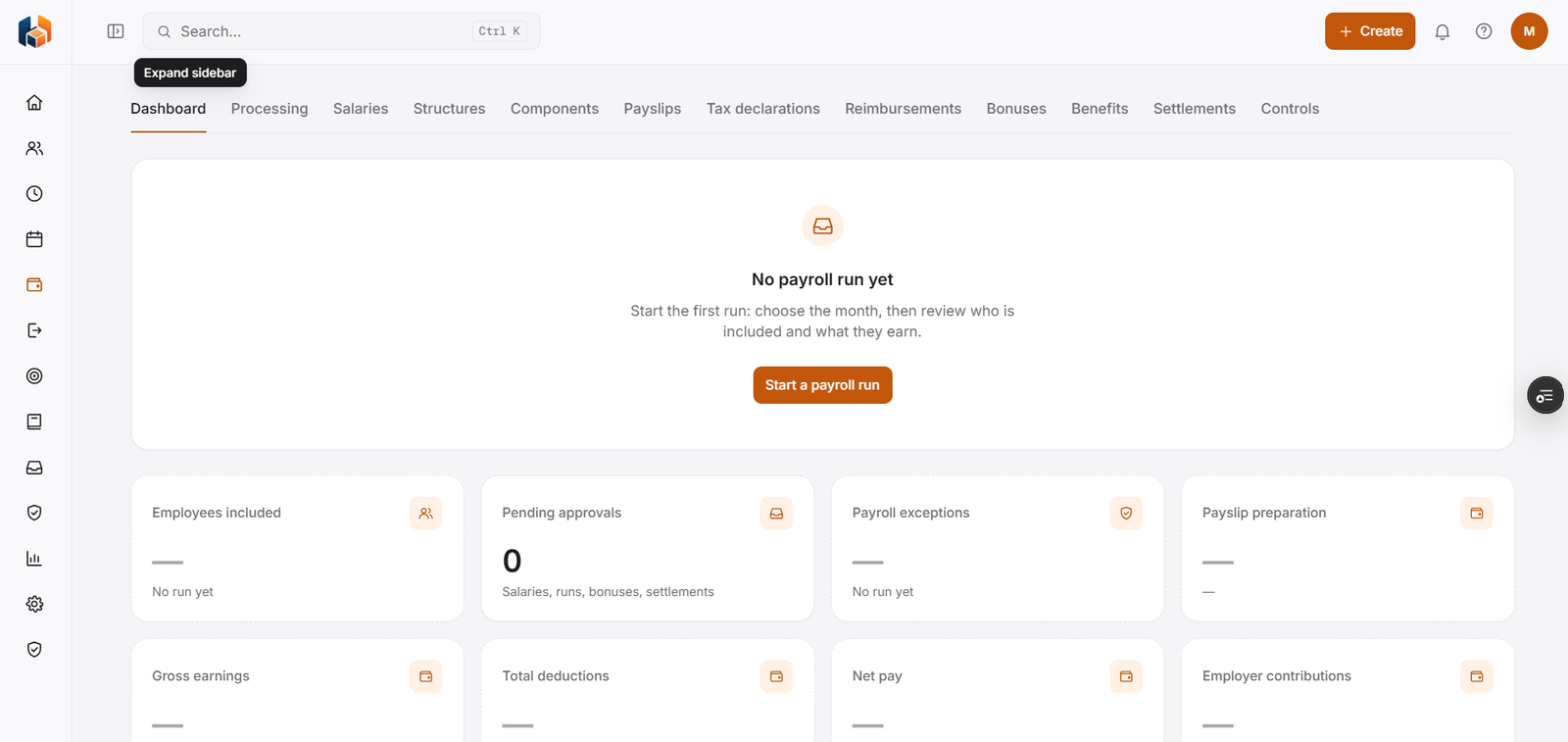
Start a payroll run, and see employees included, pending approvals, payroll exceptions, payslip preparation, gross earnings, total deductions, net pay and employer contributions.
-
Payroll Processing
Run payroll for the month and review who is included and what they earn.
-
Salaries
Employee salaries.
-
Salary Structures
Salary structures.
-
Salary Components
Salary components.
-
Payslips
Payslips.
-
Tax Declarations
Tax declarations.
-
Reimbursements
Reimbursements.
-
Bonuses & Incentives
Bonuses and incentives.
-
Benefits
Employee benefits.
-
Final Settlements
Settlements for employees who leave.
-
Payroll Controls
Controls for payroll.
Workflow
How it flows
-
Set up salaries, structures and components
-
Start a payroll run and choose the month
-
Review who is included and what they earn
-
Prepare payslips
Benefits
Who it helps
-
Finance and payroll teams
Gross earnings, deductions, net pay and employer contributions on the Payroll Dashboard.
-
HR teams
Pending approvals for salaries, runs, bonuses and settlements in one count.
-
Employees
Payslips under Payroll, alongside tax declarations and reimbursements.
-
Managers
A clear view of payroll for their own team.
-
Leadership
The payroll picture they need for planning and decisions.
-
Growing companies
A structured way to handle payroll as the team expands.
FAQ
Payroll common questions
How do we start a payroll run?
From the Payroll Dashboard, choose Start a payroll run, pick the month, then review who is included and what they earn.
What does the Payroll Dashboard show?
Employees included, pending approvals, payroll exceptions, payslip preparation, gross earnings, total deductions, net pay and employer contributions.
What counts as a pending approval in Payroll?
The dashboard counts pending approvals for salaries, runs, bonuses and settlements.
Can payroll handle final settlements?
Yes. Final Settlements is part of Payroll.
Get started
See HRBoxs in action.
Book a free demo and we will show you how HRBoxs fits your team.
- Personalised walkthrough
- See key features
- Get your questions answered