


The problem
What this feature addresses
When joining, probation and exit steps are spread across teams, tasks and deadlines are missed and it is hard to see who still needs a checklist or a document verified.
Main capabilities
What it does
-
Onboarding Dashboard
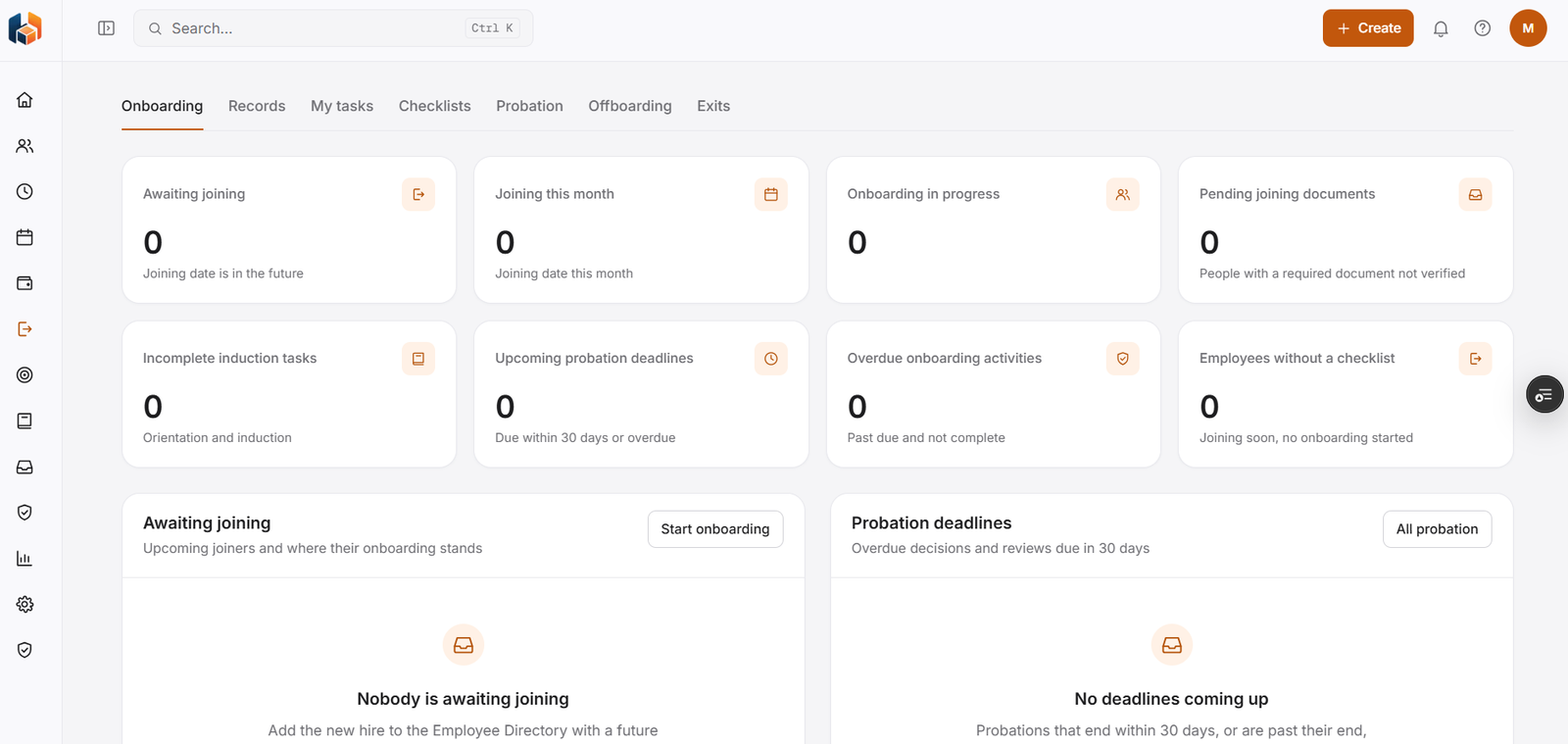
Who is awaiting joining, joining this month and in onboarding, with pending joining documents, incomplete induction tasks, overdue onboarding activities, and employees without a checklist.
-
Onboarding Records
The onboarding record for each new joiner.
-
My Onboarding Tasks
The onboarding tasks assigned to you.
-
Onboarding Checklists
Checklists for onboarding.
-
Probation & Confirmation
Probation deadlines, with overdue decisions and reviews due in 30 days.
-
Offboarding Dashboard
An overview of people who are leaving.
-
Exit Requests
Raise and follow exit requests.
Workflow
How it flows
-
Add the new hire with a future joining date
-
Start onboarding
-
Complete tasks, documents and induction
-
Confirm after probation, or handle the exit
Benefits
Who it helps
-
HR teams
Pending documents, overdue onboarding activities and probation deadlines in one place.
-
Managers
My Onboarding Tasks and probation deadlines at a glance.
-
Employees
Their own onboarding tasks under My Onboarding Tasks.
-
Finance and payroll teams
Consistent onboarding & exit information to plan and reconcile with.
-
Leadership
The onboarding & exit picture they need for planning and decisions.
-
Growing companies
A structured way to handle onboarding & exit as the team expands.
FAQ
Onboarding & Exit common questions
Are probation reviews covered?
Yes. Probation & Confirmation shows upcoming probation deadlines, including overdue decisions and reviews due in 30 days.
Can we see who has no onboarding checklist?
Yes. The Onboarding Dashboard shows employees without a checklist: people joining soon who have not started onboarding.
How do we start onboarding for a new hire?
Add the new hire to the Employee Directory with a future joining date, then use Start onboarding from the Onboarding Dashboard.
Can employees raise an exit request?
Exit Requests is part of Onboarding & Exit, alongside the Offboarding Dashboard.
Get started
See HRBoxs in action.
Book a free demo and we will show you how HRBoxs fits your team.
- Personalised walkthrough
- See key features
- Get your questions answered