01 / 10
People
Manage employee records in one place.
- Add employees
- Search and filter the directory
- View or edit an employee record
- Export the list to CSV


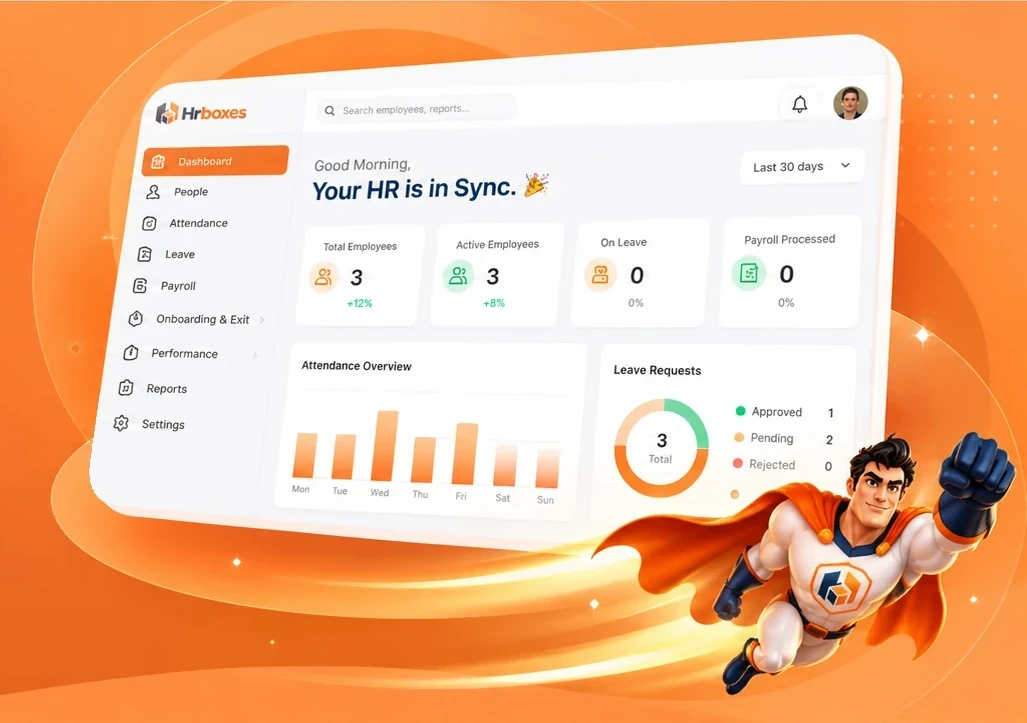
People in Sync. Work in Motion.
HRBoxs brings people records, attendance, leave, payroll, onboarding, performance and more into one connected HRMS, so your HR team spends less time chasing and more time leading.
Introducing HRBoxs
HRBoxs replaces scattered spreadsheets, inboxes and tools with one organised home for your people operations.
People, attendance, leave and payroll share one record, so you enter information once.
Clear screens and plain language, so your team spends less time learning.
Built around the everyday work of employees, managers and HR.
Product overview
From people records and attendance to leave, payroll and reports, HRBoxs keeps your HR information in one place, so it is available wherever you need it.
Explore the platformModules
Everything your HR team does, from hiring to exit, in one system.
01 / 10
Manage employee records in one place.
02 / 10
Track time, shifts and attendance.
03 / 10
Simplify leave requests and approvals.
04 / 10
Run payroll from salary setup to payslips.
05 / 10
Guide every joiner and leaver step by step.
06 / 10
Set goals, run reviews and track progress.
07 / 10
Courses, skills, surveys and recognition.
08 / 10
Route requests, approvals and HR queries.
09 / 10
Keep documents and policies under control.
10 / 10
Workforce insights and custom reports.
Employee lifecycle
Follow every employee from joining to exit, so nothing falls between teams.
Benefits
Fewer spreadsheets and email threads to maintain.
People data and request status in one place.
Quick answers and visible request status.
The same steps followed every time.
Structure that supports you as your team expands.
Reports built on connected data.
Security and privacy
HR data is sensitive. HRBoxs gives each user access based on their role. Ask us for security details during your evaluation.
Read the security overviewEach person sees only what their role needs.
Request security documentation during your evaluation.
FAQ
Find quick answers to common questions about HRBoxs.
A Human Resource Management System brings employee records, attendance, leave, payroll workflows and other HR processes into one connected system.
HRBoxs is an HRMS platform designed to keep everyday HR operations connected. Request a demo to see the current product scope.
HRBoxs is designed around a central employee record with role-based access. Confirm specific controls with the HRBoxs team.
Attendance tracking is part of the platform vision. Ask the team which methods are supported today.
Employees request leave, managers approve, and balances update. Policy options should be confirmed in a demo.
Get started
Book a free demo and we will show you how HRBoxs fits your team.